
As the digital content landscape is evolving fast, the creators, businesses and marketers are now leveraging AI to its maximum potential. Gone are the days when AI was used simply for video editing, as the technology is now embedded to build sophisticated tools for generating videos from scratch, all by using simple text prompts and supported files.
The AI video generator tools can now help you brainstorm unique content ideas, automate content workflows, and even draft entire video sequences in minutes. However, with so many options out there, it becomes difficult for you to pick the right one that aligns with your needs.
So, in this article, we have picked the 10 best AI video generators and have tested them based on accuracy, consistency, realism, quality, creativity, style, and ease-of-use. Read along till the end to find out which of these AI tools can meet your video generation needs.
| Best For | Pricing of Paid Plans | |
| Google Veo 3 | Creating realistic cinematic scenes. | Starts at $249/month |
| Synthesia | Creating business, informative, and training videos. | Starts at $18/month |
| OpenAI Sora | Narrative video generation. | Starts at $20/month |
| Runway Gen 4.5 | Obtaining advanced control over creative elements in the video. | Starts at $12/month |
| Pika | Generating social media and creative content. | Starts at $8/month |
| Adobe Firefly | Using alongside Adobe Creative Cloud tools. | Starts at $9.99/month |
| Kling AI | Generating realistic human characters in the video. | Starts at $6.99/month |
| HeyGen | Generating personalized videos and translating the languages of existing videos with accuracy. | Starts at $29/month |
| Luma Dream Machine | Faster video generation and cinematic output. | Starts at $9.99/month |
| LTX Studio | Achieving narrative consistency and high-level control over scene-based editing. | Starts at $12/month |
1. Google Veo 3
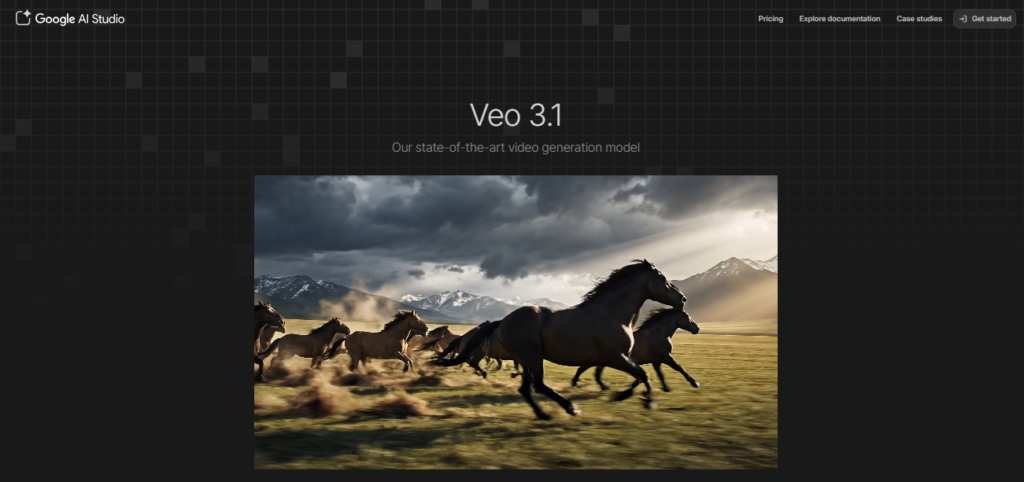
Google Veo 3 is a web-based AI video generator with exceptional prompt adherence capabilities. It comes with creative tools that can combine audio and video generation for producing realistic outputs. It is the best AI video generator if you want to achieve cinematic realism! This AI tool is a powerful solution for brands and storytellers who want to create high-fidelity and photorealistic video outputs.
Key Features:
- Delivers high-fidelity output, guaranteeing near-photorealistic and stunning video quality.
- Maintains character consistency across all the video shots.
- Optimal natural language understanding, which enables the AI engine to process even the complex cinematic prompts.
Pros:
- Great quality video generation
- Superior adherence to the prompts
- 60-80% more cost-effective
Cons:
- Pricing is very high
- Supports limited video length
Pricing:
- Available as a subscription with Google’s AI Ultra plan, starting at $249/month.
2. Synthesia
Synthesia is one of the leading AI video generator tools across the globe, powering businesses to create informative and training videos with minimal effort. This tool offers you a huge library of AI avatars to be your video narrators and a user-friendly platform for creating educational or corporate videos at ease. The best part about Synthesia is its clean interface that facilitates an easy learning curve.
Key Features:
- It has a library of more than 140 realistic AI avatars for you to choose from.
- Supports video generation in more than 120 languages and accents, making you capable of producing content for a global audience.
- It comes with a script-to-video editor, making it easier for anyone to build professional-looking videos by just pasting the pre-written scripts.
Pros:
- Turns text scripts into videos in a short span of time.
- Production time will be reduced by 70%
- Eliminates the need for cameras, studios, and actors.
Cons:
- Avatars appear robotic.
- Limited customization options.
Pricing:
- Free plan available
- Paid plan starts at $18/month.
3. OpenAI Sora
Sora by OpenAI is a booming yet best AI video generator as it can create longer and immensely coherent videos that are powered with stronger narration. For creators who want to tailor compelling video content to fulfill their creative or professional chores, they can simply get one by giving a text prompt. The free version of Sora can be accessed through ChatGPT.
Key Features:
- Generates long-form videos up to a minute, which is more than what most of the competitors offer.
- Supports robust narrative and temporal consistency, making the AI videos feel like a cohesive story.
- Sora, being built by OpenAI, is integrated with ChatGPT, which makes it easier for even beginners to use.
Pros:
- Supports impeccable realism through simulation of lighting, textures, and physics.
- Generates videos up to 25 seconds.
- Accessible directly through ChatGPT.
Cons:
- Paid plans are expensive.
- Uses too many credits for simple 1080p videos.
Pricing:
- Available with ChatGPT Plus, and the plan starts at $20/month.
4. Runway Gen 4.5
Runway is a powerhouse for creators and businesses in the AI video generation arena. It offers users a comprehensive suite of advanced AI tools for generating compelling videos while having complete control over the creative process. Creative professionals like VFX artists and filmmakers prefer using Runway more often, as they need more than just generating a random clip through text prompts. This tool helps them craft the AI-generated video to their taste.
Key Features:
- Runway offers advanced camera controls, including movements such as pan, zoom, or tilt, which help you customize the AI-generated video in a more dynamic shot.
- It comes with a multi-motion brush feature that enables you to animate the specific regions of your video or image. This way, you can bring the static elements in a video to life.
- Runway allows you to train your own specific AI models based on specific video generation styles, brand requirements, and artistic features. It will help you maintain consistency for every video you generate using the tool.
Pros:
- Top-tier video quality.
- The AI tool generates videos with realistic physics.
- Available with versatile video customization controls.
Cons:
- Requires approximately 25 credits to generate 1 second of video.
- Comes with memory limitations.
Pricing:
- Free plan available
- Paid plans start at $12/month if billed annually.
5. Pika
Pika is a creative AI-based video generator tool that’s popular with designers, social media content creators, and artists. It is backed by numerous features for seamlessly remixing existing videos or adding creative twists to them. If you want to create unique and stylized video content for your social channels, try Pika.
Key Features:
- It comes with unique features like Pikaswaps, Pikatwists, and Pikaframes, allowing users to make creative manipulations to their AI-generated videos.
- Strong capabilities for video-to-video or image-to-video transformations.
- Pika has an active community on Discord, which acts as a source of support and inspiration for new creators.
Pros:
- Beginner-friendly interface.
- Videos render in under 1 to 2 minutes
- Strong performance in image animations.
Cons:
- Creates short video clips of up to 10 seconds only.
- Consistency issues exist in video characters or elements.
Pricing:
- Free plan available
- Paid plan starts at $8 per month.
6. Adobe Firefly
If you are an active user of Adobe Creative Cloud as a motion designer, video editor, or creative professional, Firefly is naturally the best AI video generator tool for you. Due to the native integration capability of this tool with After Effects and Adobe Premiere Pro, it enables professionals to build a seamless workflow across multiple tools. It boosts the overall productivity of creative professionals who are already part of the Adobe ecosystem.
Key Features:
- Firefly is built for seamless integration with Adobe’s large suite of creative tools. This helps professionals streamline the overall video generation, editing, and post-production process.
- Supports the generation of video clips from text prompts, right within the Adobe Ecosystem.
- Adobe Firefly has a feature that helps you add/remove/replace objects from your videos by using simple text prompts.
Pros:
- The AI model is trained on the licensed Adobe Stock, making it safer for businesses to use.
- Works in collaboration with Adobe Premiere Pro.
- Enabled with camera controls for making the video even more dynamic.
Cons:
- Creates only a 5-second video clip.
- Consumes a lot of credits for generating high-quality videos.
Pricing:
- Free plan available
- Paid plan starts at $9.99/month
7. Kling AI
KlingAI generates AI videos, including photorealistic human characters as well as their movements. It is a brilliant pick for content creators who want to generate videos featuring realistic human actors, especially for online or social media marketing. For beginners using this tool, KlingAI provides you with an option to get DeepSeek in the prompt box for refining your input.
Key Features:
- Supports realistic human character generation, matching the faces as well as movements.
- Kling AI is one of the fastest AI video generator tools, enabling creators to make quick experiments and iterations.
- Offers an exceptional lip-syncing feature, making it a great pick for generating videos with certain dialogues.
Pros:
- Generates high-quality output
- Maintains character consistency throughout
- Offers advanced features for high-quality video generation.
Cons:
- Excessive credit consumption and the paid credits can also expire if not used.
- Poor customer support.
Pricing:
- Free plan available
- Paid plans start at $6.99/month
8. HeyGen
HeyGen is mainly used for generating personalized or translated videos. Online marketers, sales teams, and businesses across the globe can use it for creating customized video messages for their respective audience groups, using interactive avatars. The interface is intuitive and clean, enabling even beginners to use it effectively.
Key Features:
- Enabled with AI-powered video translation. It means you can translate your existing or new AI-generated videos into diverse languages with utmost accuracy.
- Helps you create custom AI aviators with voice cloning and other features. It enables you to generate highly personalized video messaging.
- HeyGens also has pre-built interactive avatars that you can use for creating personalized sales or marketing videos, delivering an engaging viewer experience.
Pros:
- Generates highly realistic video outputs.
- Offers a selection of 700+ avatars and support for 175+ languages
- Intuitive interface makes it ideal for beginners.
Cons:
- Slower rendering time.
- Avatars, at times, feel robotic.
Pricing:
- Free plan available
- Paid plan starts at $29/month.
9. Luma Dream Machine

If you are in search of an AI video generation tool that can execute your prompts with utmost speed, while ensuring quality, Luma Dream Machine can be your pick. This tool is built to generate high-quality cinematic videos in seconds, which makes it a preferable choice for online marketers, content creators, and social media managers. With Luma, you won’t just be generating eye-catching and visually appealing videos, but can also edit them in terms of camera angles, lighting, styles, keyframes, and more.
Key Features:
- Supports faster video generation and rapid iterations.
- Delivers cinematic output with a scope of customization.
- Enabled with the keyframe feature that allows creators to define the start and end of images.
Pros:
- Generates superior quality videos
- Users can make quick iterations
- Reasonable pricing
Cons:
- Generates videos of only 5 to 10 seconds in length.
- Does not generate native audio.
Pricing:
- Free plan available
- Paid plan starts at $9.99/month
10. LTX Studio

LTX Studio comes with a storyboarding interface, enabling you to control the characters, scene composition, camera angles, lighting, and other such elements in the AI-generated video. This way, you can ensure that the final result is close to your expectations. LTX Studio is powered by Google, Black Forest, and Lightricks, enabling users to choose the AI engine they would like to stick with.
Key Features:
- Offers precise camera controls for motion editing, movement changes, and other such features to make the video even more dynamic.
- Helps you generate videos from scripts, images, and texts, alongside an AI-storyboarding feature.
- Uses the LTX-2 AI model for generating high-fidelity video, along with other models for even better realism.
Pros:
- Delivers character consistency
- All-in-one workflow supporting video generation, voiceover, music generation, and sound effects through AI-empowered features.
- Easy-to-use interface.
Cons:
- Resource-intensive as it consumes too many credits.
- Slower video generation.
Pricing:
- Free plan available
- Paid plans start at $12/month
Final Verdict
Every AI video generator tool specified in this list is best in its own use cases. For instance, Runway Gen 4.5 is best at providing you with optimal balance in generating high-quality video output and obtaining creative control over it. On the other hand, Kling AI is best for generating photorealistic human characters in the video by mimicking their natural movements.
As most of these tools have a free plan available, it is advised that you check out their capabilities with a real project and decide what suits your needs the best. Whether you are a creative content creator or a professional corporate marketer, these AI video generator tools can make a big difference in your projects.